A month of posts. One CSV file.
Fill a simple spreadsheet, upload it once, and PostZenly turns every row into a scheduled post — across every platform you use. One focused session covers weeks of publishing.
Free plan forever · No credit card · Cancel anytime
From spreadsheet to scheduled in four steps
One sitting, and your next weeks of content are queued, reviewed, and ready to publish.
Gather your content
One folder, grouped by campaign or theme. Images, videos, carousels — anything you already have sitting on your drive becomes a month of scheduled posts.
Fill the CSV template
Download the sample CSV — one row = one post. Columns are simple: scheduled_at, timezone, caption, media, platforms. No formatting gymnastics, no special software.
Upload and review
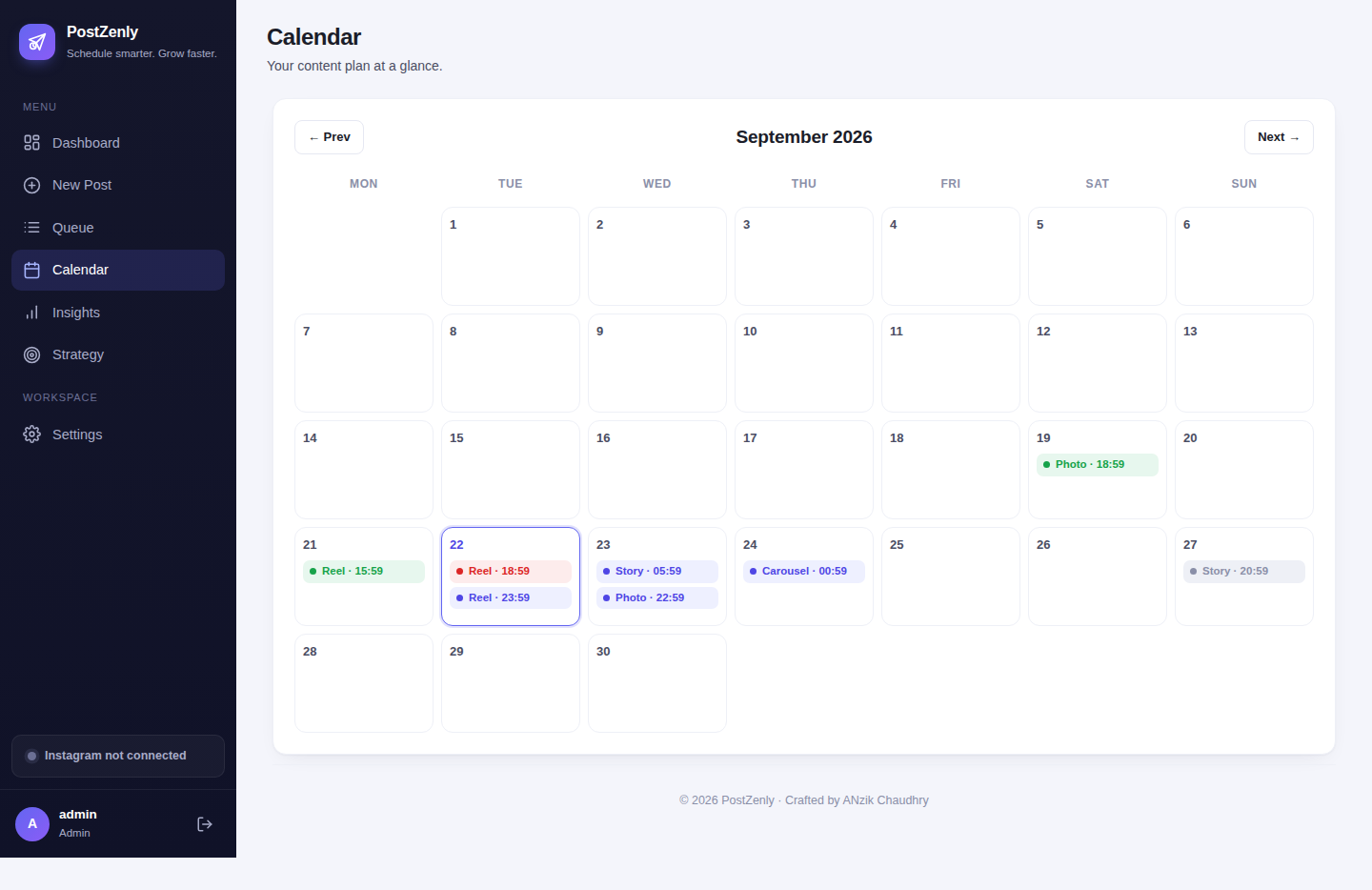
Every row appears on your visual calendar. Preview the grid, fix a caption, swap media, or drag a post to a new slot — nothing publishes until you've reviewed it.
Let PostZenly publish
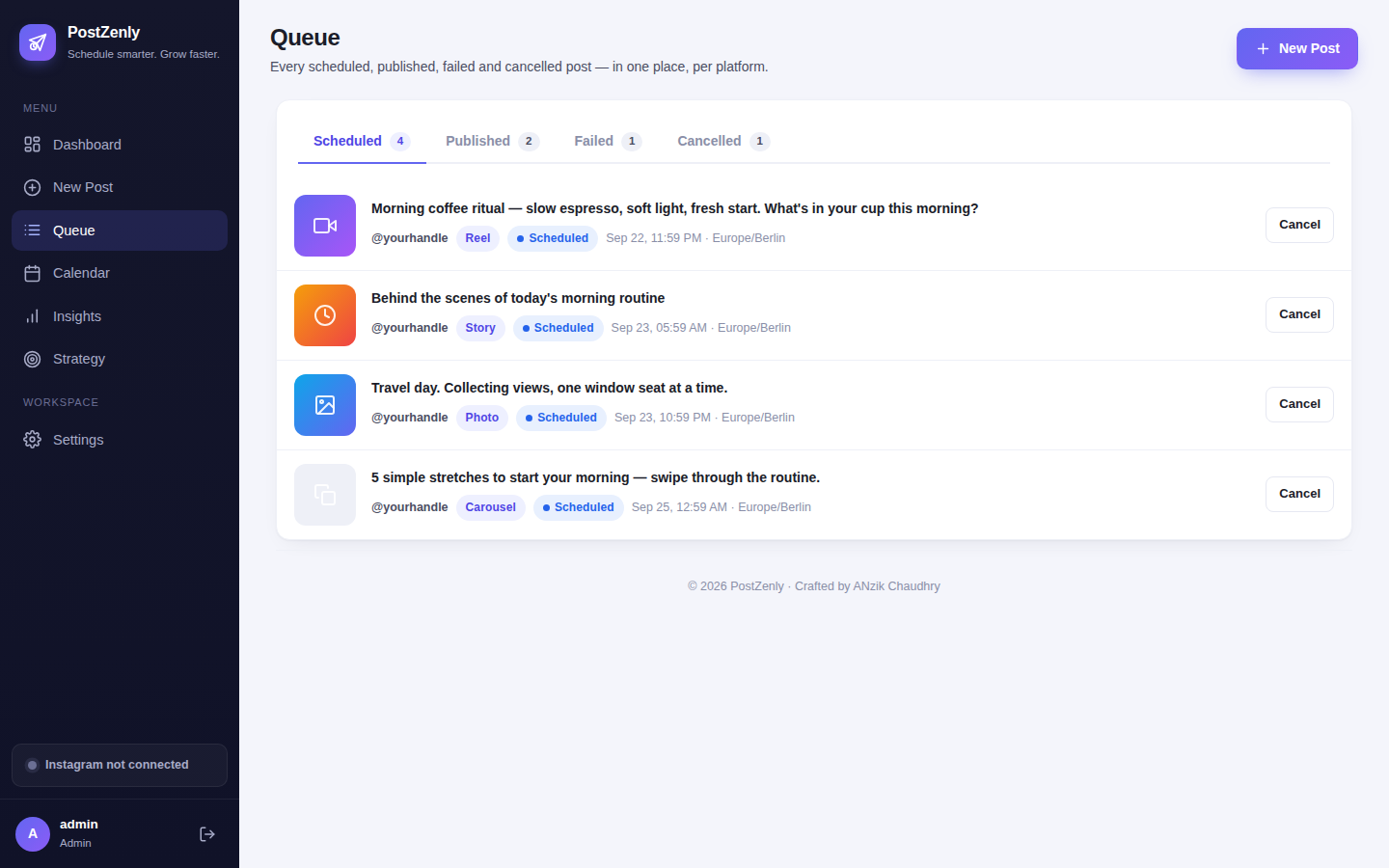
Sit back. Each post goes live at its scheduled time through the official platform APIs. If one platform fails, the rest still publish — and the failure is flagged, never silent.
One CSV, hundreds of posts
The template does the heavy lifting. You bring the content, the CSV brings the structure, and the calendar brings it all together.
- ✓One row = one postEach CSV row carries its caption, hashtags, publish time, media file, and target platforms. Write a month of captions in the tool you already know: a spreadsheet.
- ✓Honest row limitsCreator handles 50 rows per import, Growth 350, Agency 500. Bulk CSV is a paid feature — the free plan schedules posts one by one, and the 14-day trial unlocks the full workflow.
- ✓Every platform, one fileMix Instagram, TikTok, Facebook, YouTube, Pinterest and X in a single CSV. Per-platform fields mean the right caption lands on the right network.
- ✓Built for batch sessionsPlan a month of content over one focused afternoon. Import Monday's ideas, Friday's promos, and next week's Reels in the same file.
- ✓Downloadable sample CSVStart from the sample template with example rows and future dates already filled in — replace, save, upload. Done.
- ✓Media-friendlyPoint the media column at your image or video files — including Reels and carousels. PostZenly attaches everything in order.
Review before anything goes live
Bulk doesn't mean blind. Every import lands in a review step where you polish, rearrange, and approve.
- ✓Calendar previewUploaded posts appear on the week and month views instantly. Spot gaps, clusters, and collisions before anything goes out.
- ✓Edit inlineFix a caption, swap a thumbnail, or rewrite hashtags right from the review screen. No re-uploading the whole file.
- ✓Drag to rescheduleLaunch moved? Drag the whole campaign to next week in seconds — times, captions, and media move together.
- ✓Multi-account assignmentAssign rows to the right account during import. One CSV can fill three Instagram accounts and two TikToks without mixing them up.
- ✓Validation up frontBad dates, missing media, unknown platforms — the importer flags every error row-by-row before a single post is created.
- ✓Failsafe publishingIf Instagram accepts a post but TikTok hiccups, the rest still go live. The failure is flagged in your queue with the reason, so you can fix and retry.
Bulk upload to every platform you post on
One CSV feeds all six platforms. Format support follows each network's native capabilities.
Try the full bulk workflow free for 14 days.
The trial unlocks Growth — 350 rows per import, every platform, no credit card required.
Bulk upload questions, answered
Everything about the CSV format, limits, and what happens after you hit upload.
What does the CSV file look like?
How many posts can I bulk upload at once?
Can I bulk upload Reels and carousels?
Can I edit posts after bulk uploading?
Can I bulk upload to multiple accounts?
Is there a free way to try bulk upload?
What happens if one platform fails during a bulk publish?
Plan your next month of posts today.
One upload. Hundreds of posts. Every platform. PostZenly handles the publishing while you get on with your week.
Free plan forever · No credit card · Cancel anytime